Help & features
A festival planner, from first pick to final set
Every stage of your festival, connected.
From your first must-see to your final set, you decide how the day plays out. Keep one overlapping set or split your time, see how the walk to the next stage fits, and keep your friends and next moves together.
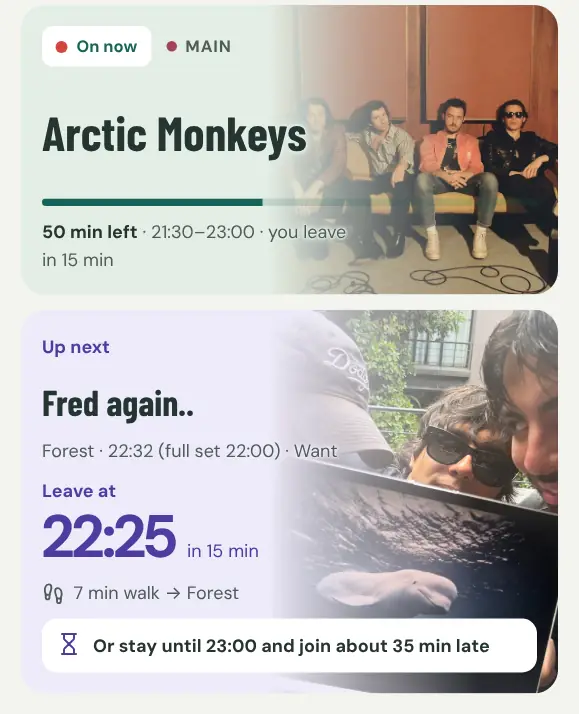 Demo screenshot
How it works
- Find your festivalPick it from the list, or open the link a friend sent you.
- Pick your setsTap what you want to see: must, want or maybe.
- Settle clashesKeep one, split the time or keep both. The walk between stages is counted.
- Follow it liveNow shows what’s on and when to head off, with your friends in the group.
01 / 09
Plan your weekend
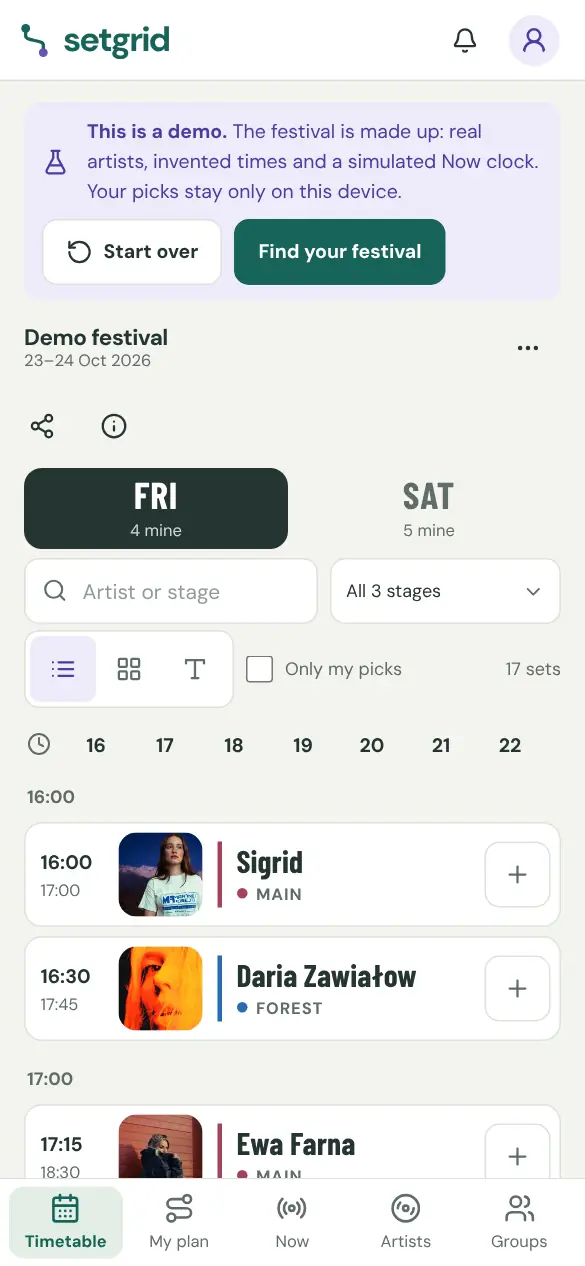
Tap the sets you want and your plan builds itself, on your phone and on a big screen.
Try this in the demo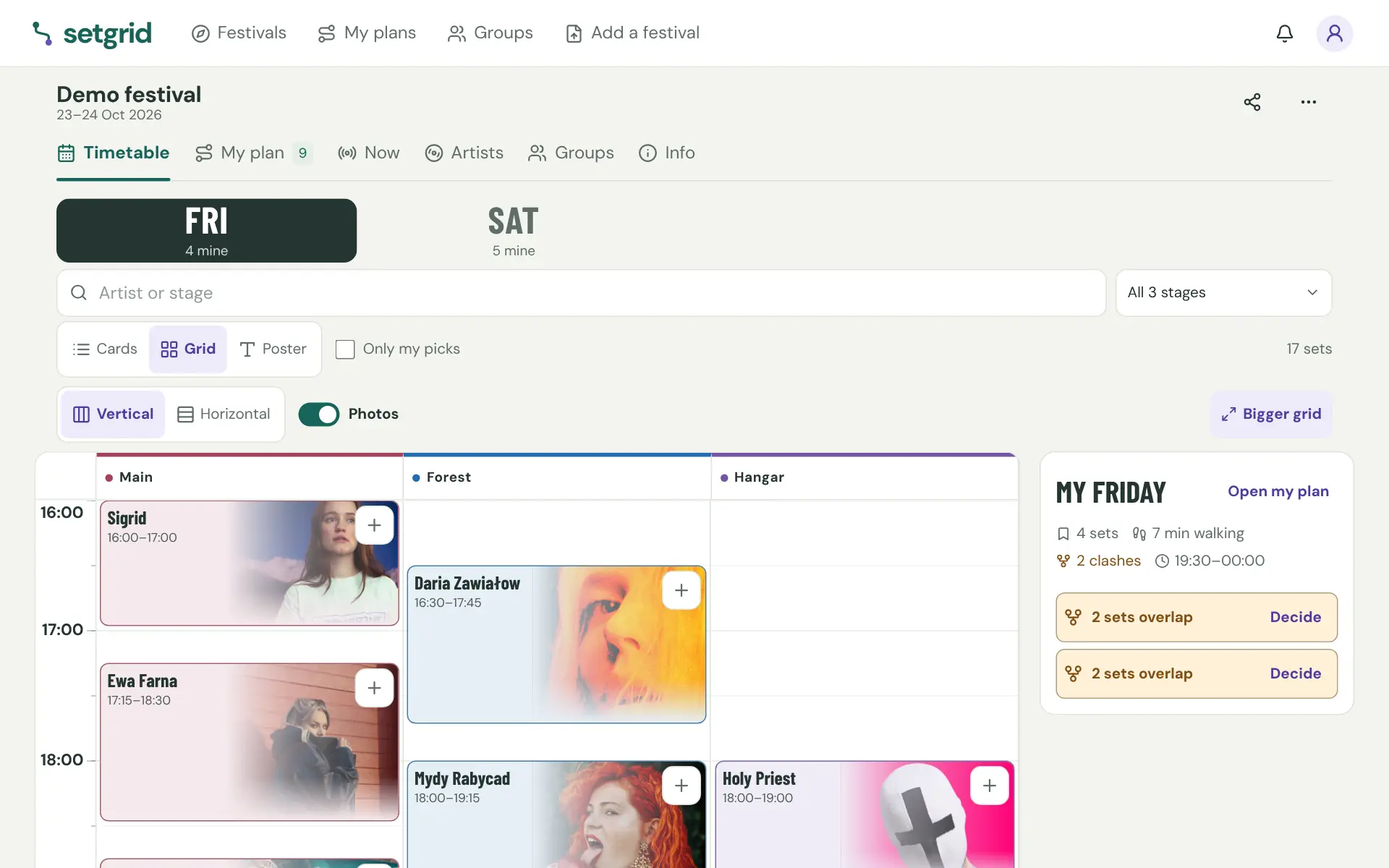
02 / 09
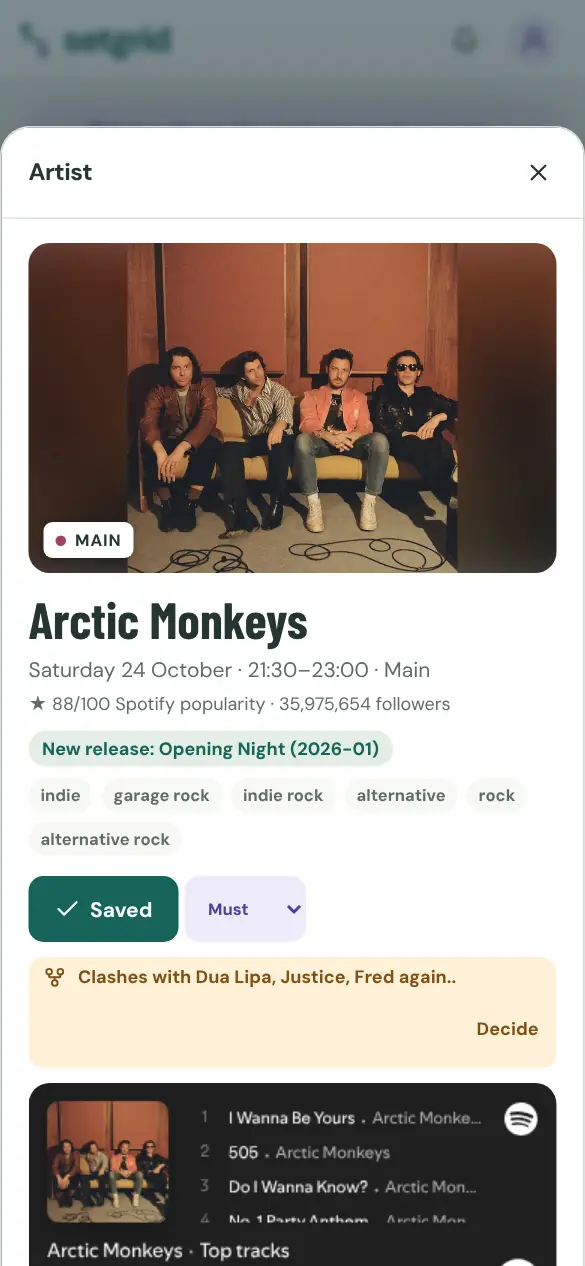
Get to know the lineup
Every artist with a photo, genres and a Spotify preview. Browse by genre, sort by popularity or hidden gems, and connect your own Spotify (invite-only for now) to see who you already listen to.
Try this in the demo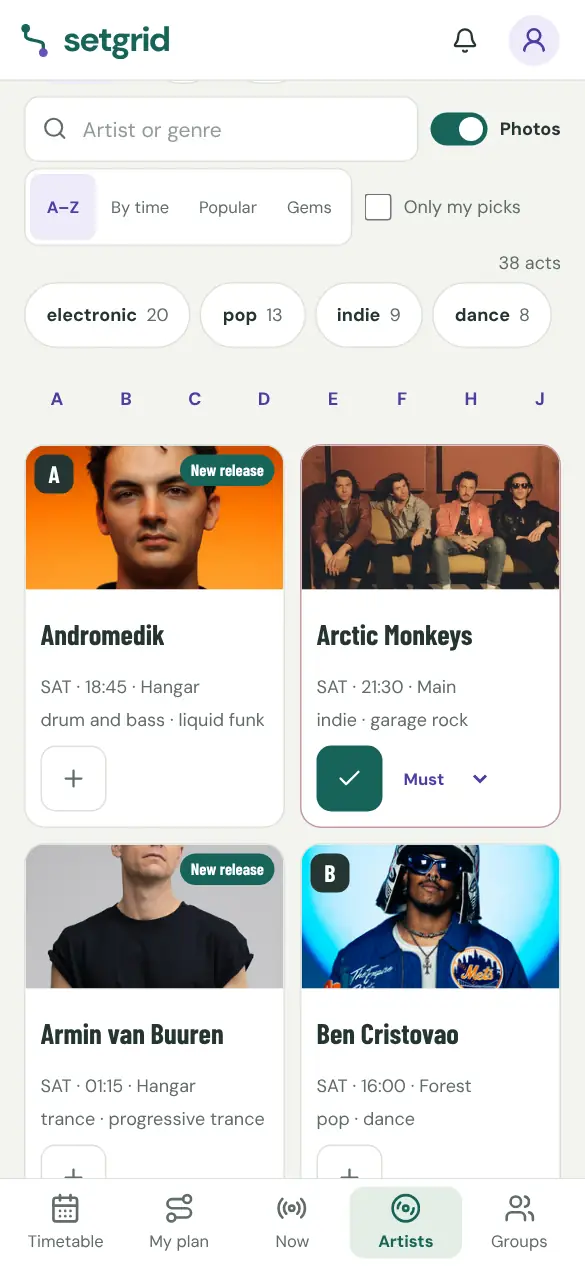
03 / 09
Settle clashes
When two sets overlap, keep one, split the time or keep both. The walk between stages is counted.
Try this in the demo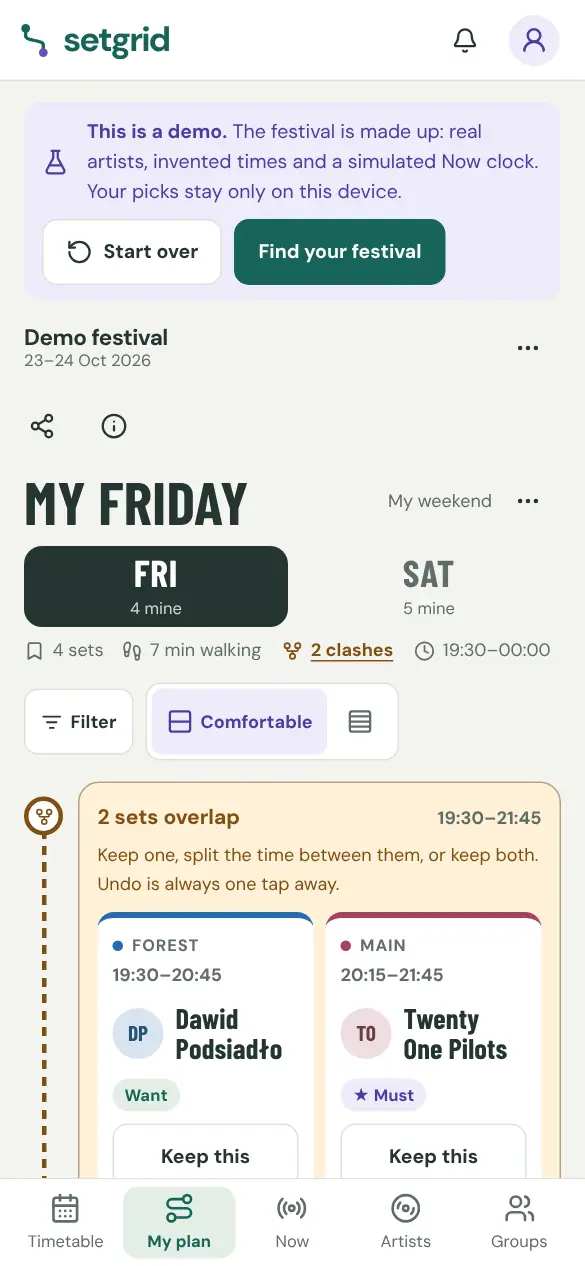
04 / 09
Follow it live
Now shows what's on, what's next and how far it is, and helps with what you haven't decided. The demo's clock is simulated.
Try this in the demo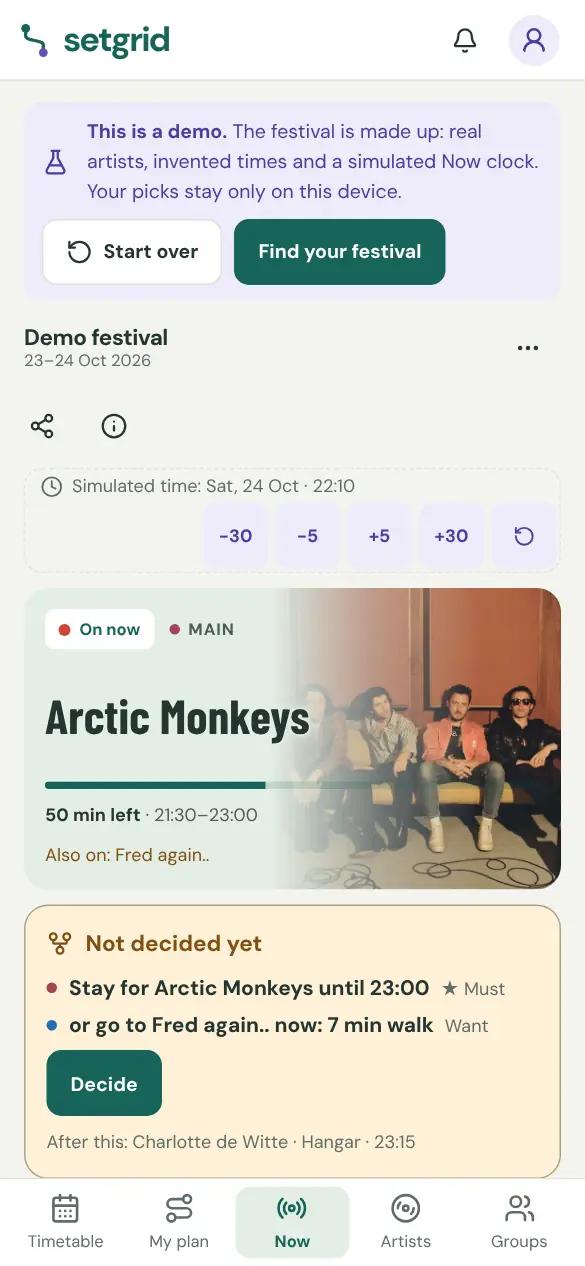
05 / 09Example
Go with friends
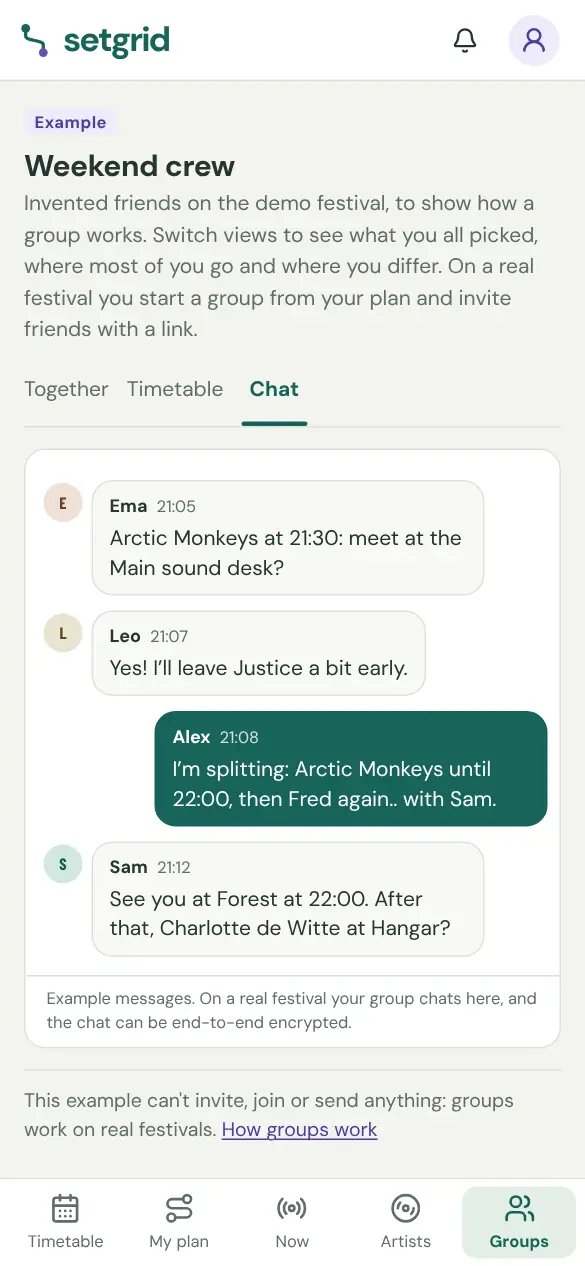
Compare plans: what you all picked, where most of you go and where you differ. Then chat and meet up. These friends are invented.
See the example in the demo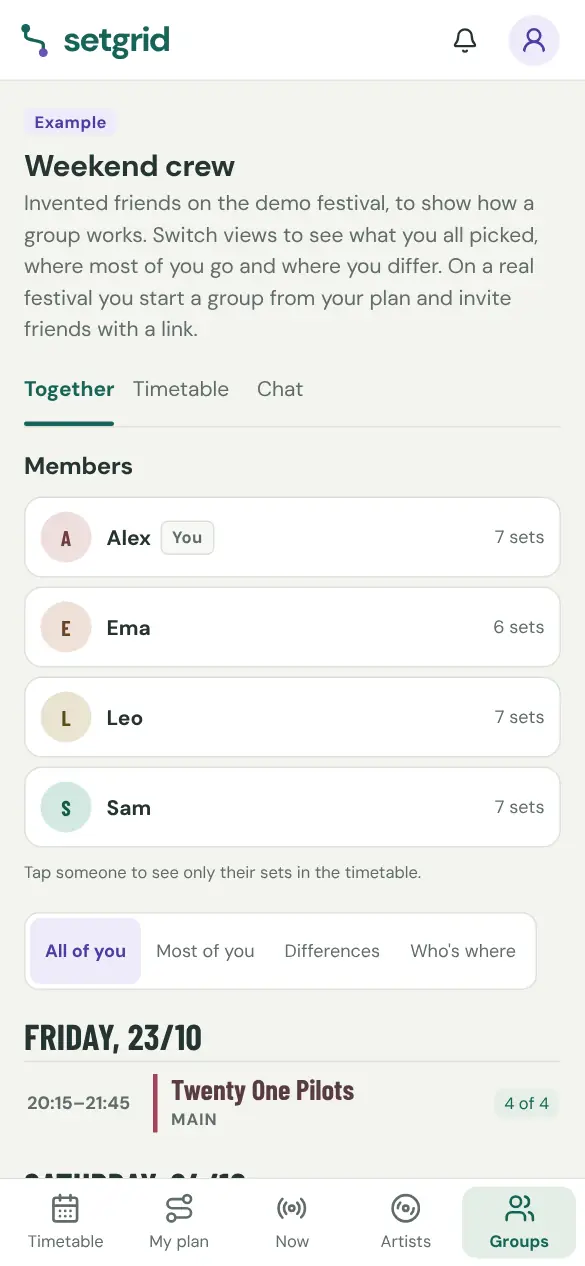
06 / 09
Share it, take it along
Send your plan as a link, print a clean view or export it. It keeps working offline at the grounds.
Try this in the demo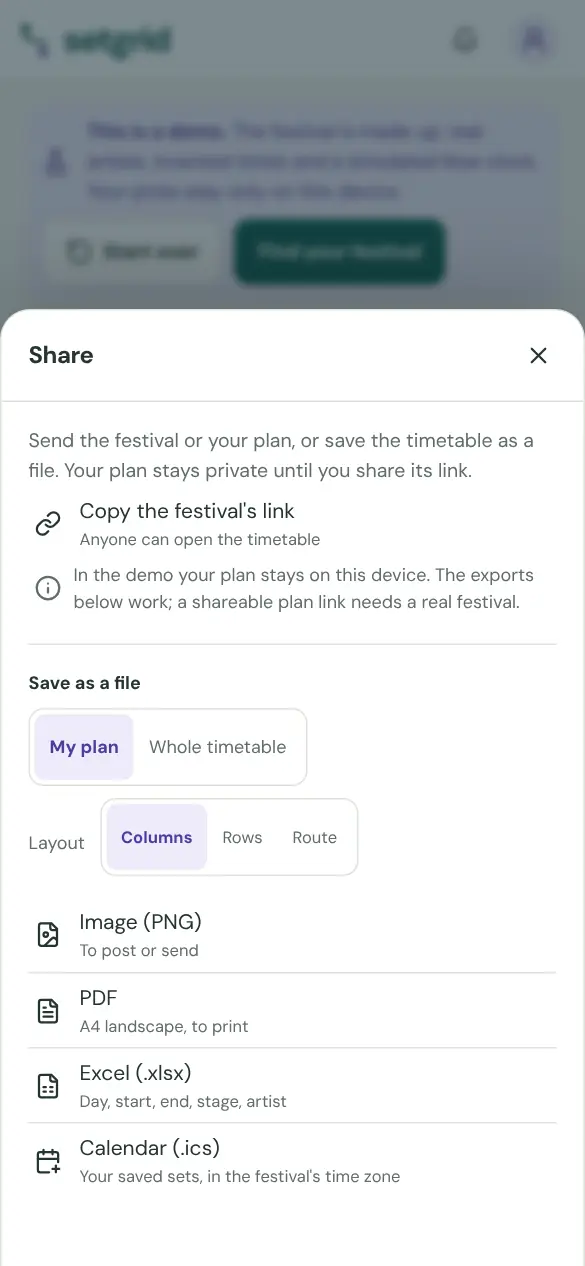
07 / 09Example
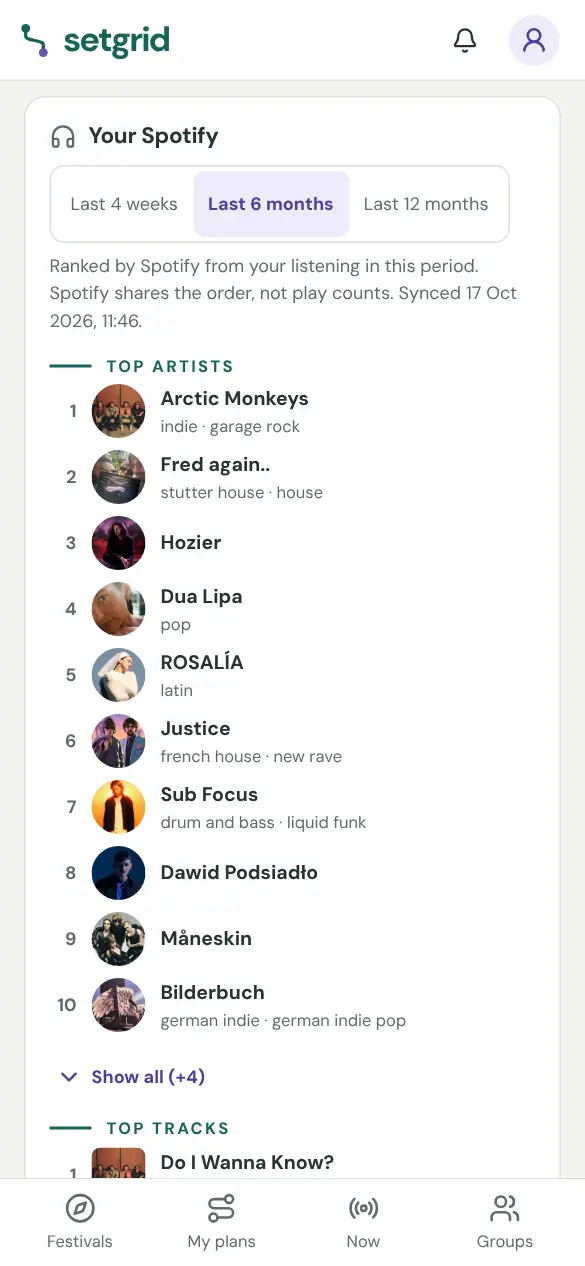
Your festival life in numbers
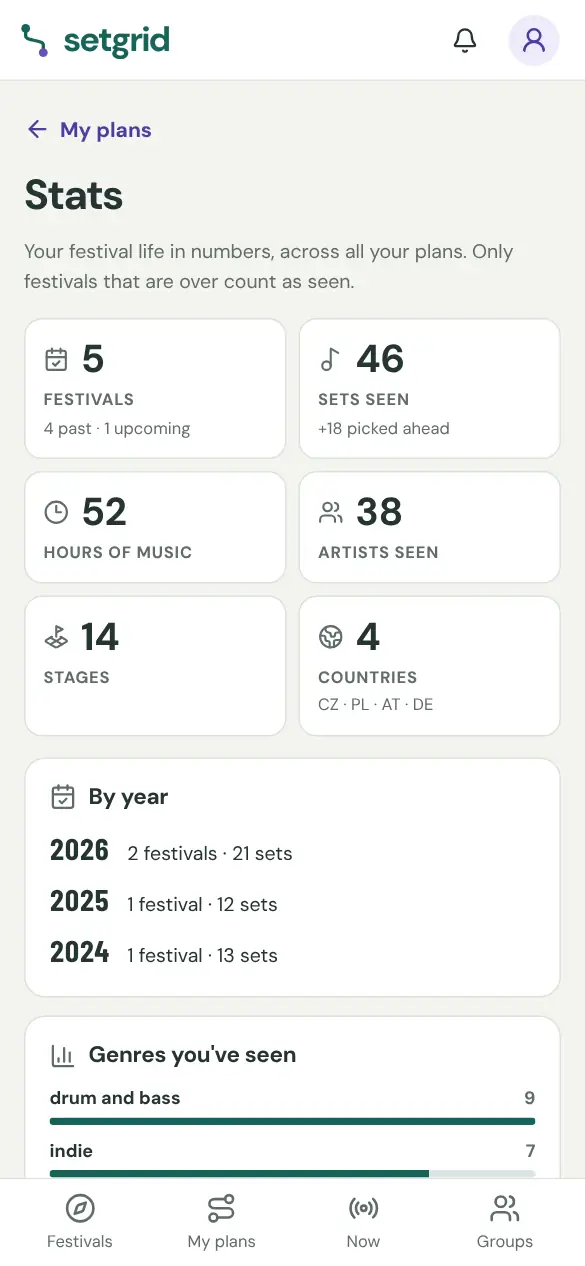
Festivals, sets, hours of music, artists and countries across every plan, a genre breakdown and a year-by-year history. With Spotify connected (invite-only for now), your top artists and tracks too. These numbers are invented.
08 / 09Example
Any timetable in, corrected
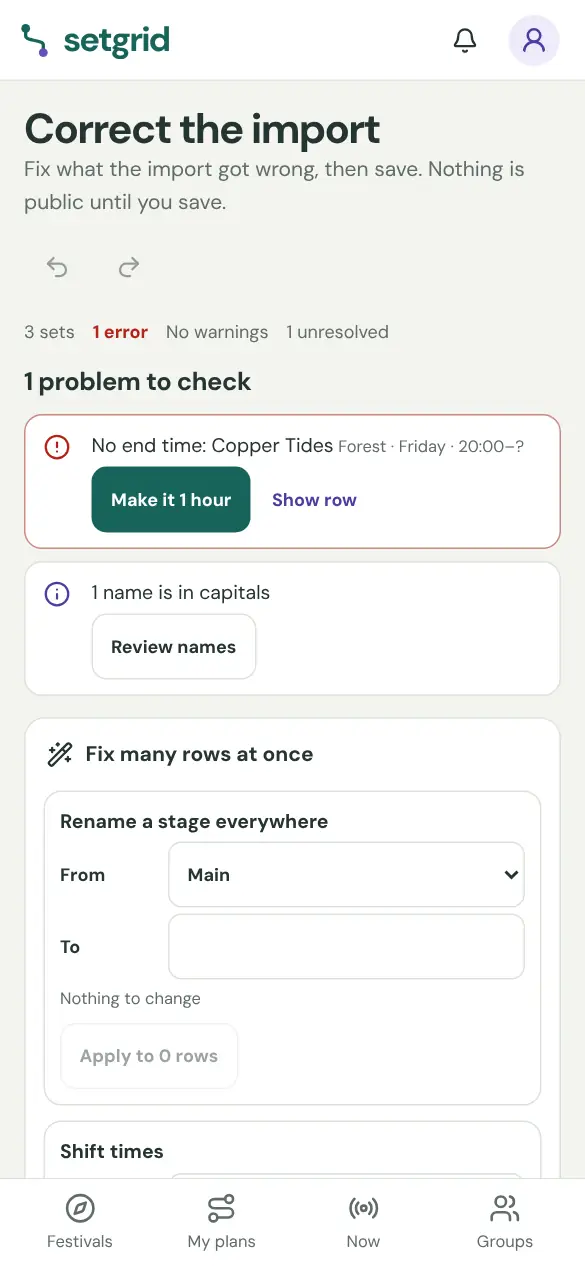
Paste a timetable, link a page or photograph the poster. You get a draft to correct before anything is published.
- Import any timetable
- Correction editor
- Names in capitals, fixed for you
- Publish & share festivals
- Request a festival
09 / 09Example
Stay up to date
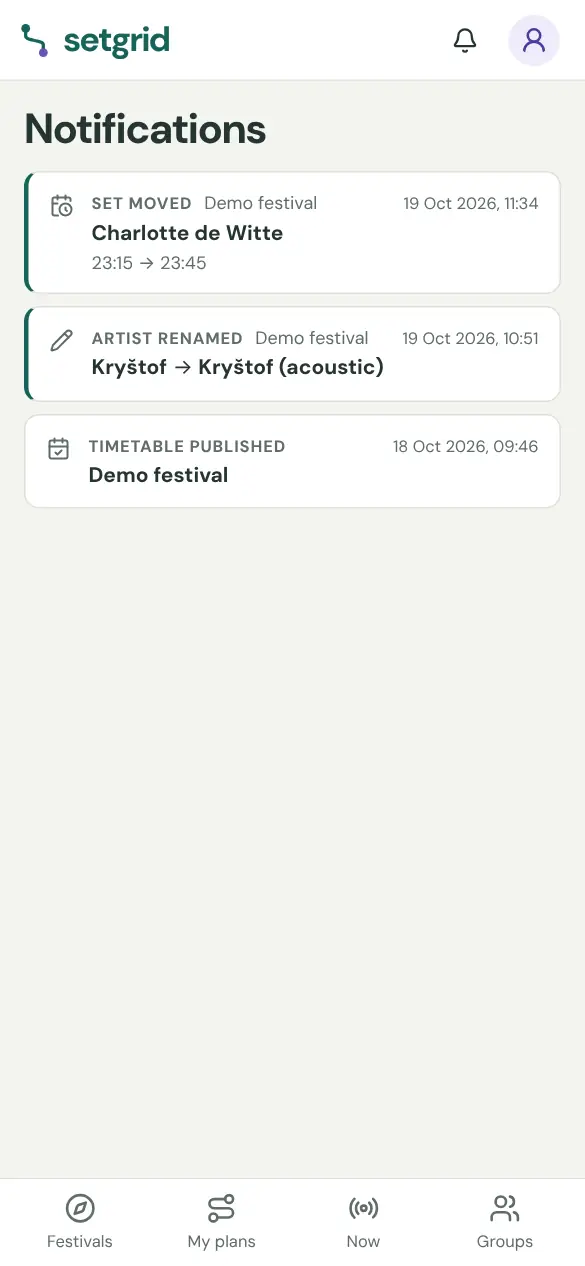
Follow a festival and hear when the timetable comes out, a set moves or a name changes. Ticket links are one tap away.
Every feature
The full feature list — searchable. Setgrid turns any festival timetable into a personal, shareable plan.
Import any timetable
Paste a URL or text timetable, upload a photo, PDF or XLSX, or paste a screenshot straight from the clipboard — the importer builds a draft you review. Several screenshots (say, one per day) go in one read, and when a link or a saved page doesn't come through, an AI reader can go through it. Text can use day and stage headings followed by time and artist lines; missing end times stay open for correction.
Correction editor
Every import lands as a draft you can fix fast: rename artists, move sets, adjust stages and days before anyone sees it. The draft is yours until you publish.
Publish & share festivals
Publish a festival as private, unlisted or public. Others can duplicate public timetables to edit their own copy — your original stays yours.
Personal plan
Pick sets with must / want / maybe priorities, see conflicts instantly, split overlapping sets, and keep notes. Plans are private by default with an opt-in share link.
Plan generator
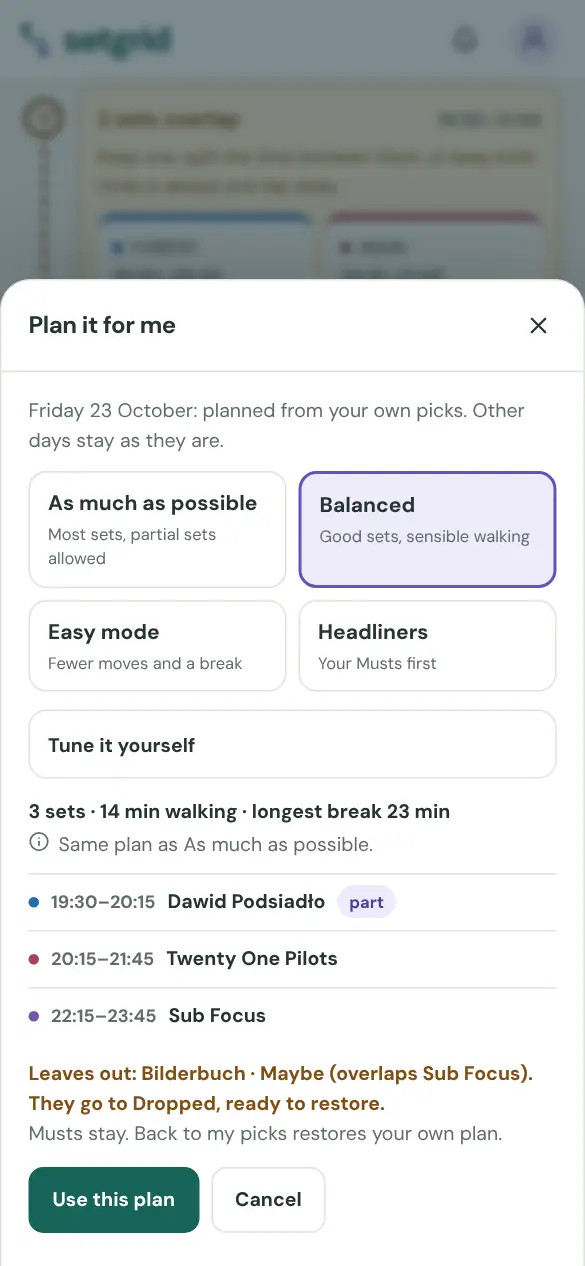
Let Setgrid propose an optimal route through the day from your priorities — and restore your manual picks anytime.
Walk times
Set distances between stages once and the plan warns when a switch is too tight — with your own walking pace and buffer.
Now mode
During the festival, one tap shows what's playing right now and what's next — from your plan or across all stages. It sits in the phone's bottom bar, and a Now shortcut appears in the menu whenever one of your festivals is on.
Decide clashes on Now
When two of your sets overlap and you haven't chosen yet, Now shows both options and when you'd have to leave for the other one. Decide lets you keep one, keep both or split the time right there, and your group chats are one tap away.
Follow festivals & alerts
Follow a festival to get notified when the timetable drops, changes or the event is cancelled — in the app and as push notifications. Every festival page says how far its timetable has got (set times, lineup only or dates only), where it came from and when we last checked it.
Groups
Create a group for a festival and share one invite link or QR code. Compare plans: what you all share, where most of you go, and where you differ.
Group timetable grid
The full grid of everyone's picks, with member avatars on every set card, an "n of m" count, and a horizontal/vertical layout toggle.
Group chat
Message inside the group — coordination stays in the app. Send photos and one-tap location pins to find each other, and turn on end-to-end encryption so only members can read the chat. Members get push notifications, throttled so a lively chat never spams. Delete anything you sent, anytime.
Festival chat
Every festival has one public chat for everyone attending — opened from the floating bubble on the festival and plan pages. Anyone can read; writing needs an account and a chat name. React with emojis, share photos and one-time location pins, and turn on push notifications per festival (off by default, throttled so a busy chat never spams you). The chat list has a search box for when you follow a lot of festivals, you can search inside an open conversation, and a festival's chat closes itself a week after the festival ends — closed chats move to their own section and stay readable.
Meetup finder & points
See the windows when nobody has a set picked, define meeting points (official or your own "our tent"), and suggest a meetup straight into the chat.
Filter by member
Tap a member to see only their planned sets in the grid and timeline.
Avatars
Pick a festival-flavored emoji avatar or upload a photo — shown across all group views and chat.
Exports & calendar
Export any grid as PNG, PDF or XLSX, and subscribe to your plan as an ICS calendar feed. Or make a phone wallpaper (9:16) or a share card (4:5) of your plan or the festival's lineup, with the festival's name and the Setgrid mark.
Offline & install
Install Setgrid to your home screen and your plan works at the grounds without signal. Turn on notifications and Setgrid pings you before your must-see sets start.
Mobile app
A native app for iPhone and Android is on the way. It mirrors your account (festivals, plans, groups and chat) with push notifications, and festival links open straight in it. It isn’t in the app stores yet; until then, everything here works in your phone’s browser.
Ticket links
Official ticket links on festival pages, one tap away.
Spotify integration
Lineups come alive with Spotify: artist photos, genres and playable previews in every set detail, a lineup explorer with genre stats and discovery filters, and popularity + new-release signals. Connect your own Spotify (invite-only for now) and Setgrid highlights the artists you actually listen to at each festival — star them all into your plan with one tap.
Artist pages
Every artist on a public festival gets a page: photo, genres and links, then every festival on Setgrid that has them on the lineup, with the day, time and stage once the timetable is out, plus the festivals they played before. Open it from an artist's details on any festival. b2b and feat. billings count for each artist, and notes like "live" or "DJ set" don't turn one artist into two. Browse them all under Artists in the menu, by name or genre.
Festival pages
Every festival has its own page on Setgrid, above its single editions: what the festival is about, where it happens, and every edition we have, including winter, tour and city editions. Jump to a past edition to see who played, find the artists who keep coming back, and open the next edition to plan it. Festival pages are linked from each edition's About.
Festival news
Lineup drops, timetables, changes and cancellations from the festivals on Setgrid, in your language. Each article lists its sources and leads straight to the festival, ready to plan. Find the latest on the home page, under News, and on each festival's and artist's page; tap a country or year tag, or filter News by country, year and festival, to see all news from there.
Follow artists
Follow an artist from their page, with or without an account. When a verified festival puts them on its lineup, and again when their set time is out, you get an alert: one per festival, listing every artist you follow there. Everyone you follow is listed in My plans under Following, with their next festival on Setgrid, soonest first. With Spotify connected, one tap follows every artist you listen to who plays here.
Fan score and top fans
Artist pages show how many people follow an artist and how many plans have them, once there are at least 5. Your own fan score is just for you: following the artist, each festival you plan with them and each must-see add up. Turn on top-fan lists in your account to appear, under a name you choose, on the Top fans list of the artists you love. With Spotify connected you also see where they rank in your top artists. On a festival's Artists tab, sort by Most planned to see who people plan to catch.
Your festival stats
A Stats page, linked from My festivals, adds it all up across every plan: festivals attended, sets and hours of music seen, artists, stages and countries, genre breakdowns from Spotify data, and a year-by-year history. With Spotify connected you also get your full ranked top-artists list and everyone you follow — every list fully expandable.
Request a festival
Cannot find a festival on Setgrid? Ask for it in one short form. It appears immediately as a listed festival with its dates and links, and you get a notification the moment the timetable is published.
Calendars
See festivals by date: the Festivals page has a month calendar next to the list, and the Calendar tab under My plans shows the festivals you're going to and the ones you follow. Share calendars with friends: make a one-time link (it works once, for 7 days), and when a friend accepts, you both see the public festivals the other has a plan for, by name. Nobody sees your profile, and either of you can stop sharing at any time.
Names in capitals, fixed for you
Timetables copied from festival sites often shout every name. The correction editor suggests the natural form for each one (AMELIE LENS becomes Amelie Lens) and keeps DJ, MC, B2B, country tags and stylised names as they are. Review the names for all rows, one stage, one day or the rows you picked; untick or edit any suggestion. Nothing changes until you apply, the original stays visible, and one Undo brings it all back.
Your day as one route
My plan shows each festival day as one connected route with the walk between stages. A clash card lets you keep one set, split the time with an exact leave time, or keep both, and Undo reverses exactly the change it reports. Add private notes, rename a plan or start a second one on purpose, let Plan it for me plan one day from your own picks, and print a clean view.
Demo festival
Try everything on an invented festival before your own is in Setgrid: save sets, decide clashes, plan the walks between stages, export your plan and see Now on a simulated clock. The demo keeps its picks on your device and never invites, follows or notifies anyone. Open it from the home page or at setgrid.app/demo.